
Smart Age Gate for Woocommerce
Protect age-restricted content by verifying visitor age before they enter your website or access specific products.
Age Verification Popup
Custom Age Rules
Smart Access Control
14 Days Money Back Guarantee
99% Customer Satisfaction Rating
Support
- Enjoy 12 months of updates and dedicated support starting from your purchase date. Renewal is optional and can be cancelled anytime.
- Prices displayed on this site are in United States Dollars (USD).
- Trusted by 5000+ Websites
Rating
45 Reviews
1.0.0
Plugin Version
2000+
Downloads
June 30, 2026
Last Updated
HOW IT WORKS?
Smart Age Gate for WooCommerce – Secure Age Verification for Restricted Content
Smart Age Gate helps you verify visitor age before granting access to your website or age-restricted products. Protect your business, stay compliant with legal regulations, and ensure only eligible users can browse restricted content.
Display a professional age verification popup as soon as visitors enter your website or attempt to access restricted pages. Ensure age confirmation before browsing.
Set custom age limits such as 18+, 21+, or any age requirement based on your business needs. Apply restrictions to the entire website or selected products/categories.
Automatically allow verified users, block underage visitors, or redirect them to another page. Improve security while providing a seamless user experience.
Trusted by clients from 50+ Countries
Try with Confidence

100% Money-Back Guarantee
Our 30-day No-Risk Money Back Policy assures 100% money back.
99% Satisfaction Rating
We make every effort to make sure our customers are happy.

Average 5 star rating
Our plugins are highly regarded in WordPress forums and review platforms.
How Does The Plugin Work?
See How Smart age gate for WooCommerce ‘ plugin function.
Admin page
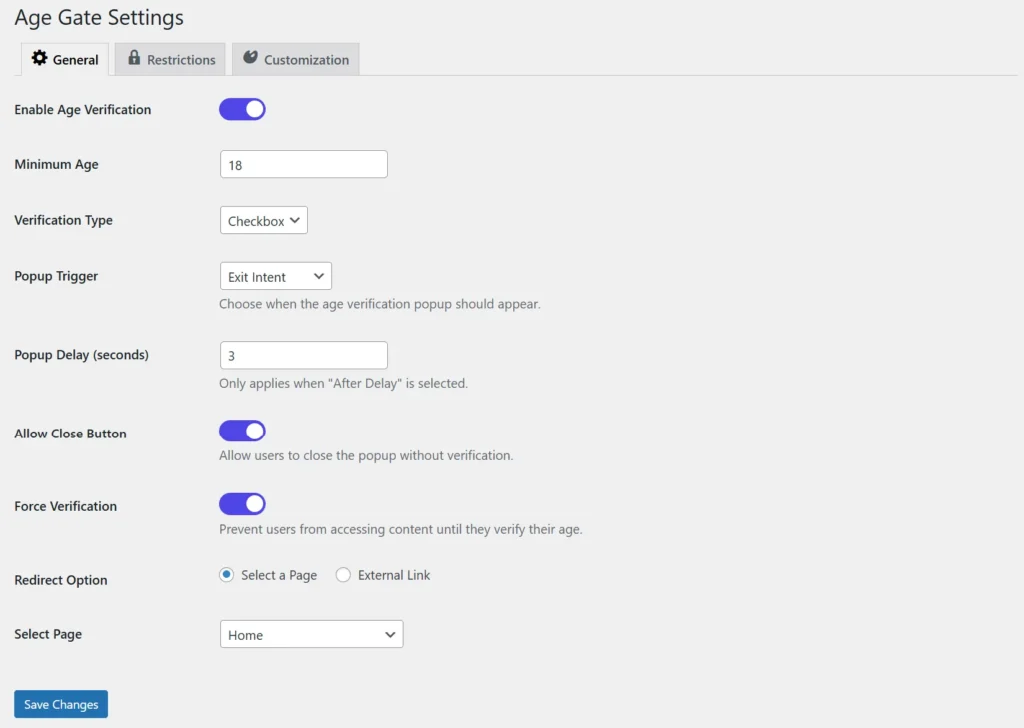
1.General Settings
The General Settings page allows you to configure the core functionality of the age verification popup. You can enable or disable age verification, set the minimum required age, choose the verification method, and control when the popup appears. Additional options include redirect behavior and forcing verification before users access restricted content.
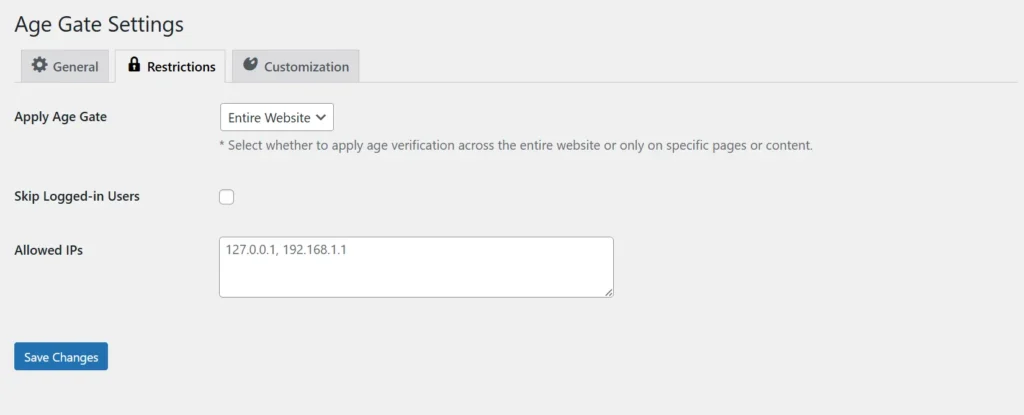
2.Restrictions
The Restrictions page helps you control where the age gate is applied across your website. You can enable age verification for the entire website or restrict only specific pages or content. It also allows you to exclude logged-in users and whitelist specific IP addresses for easier admin or internal access.
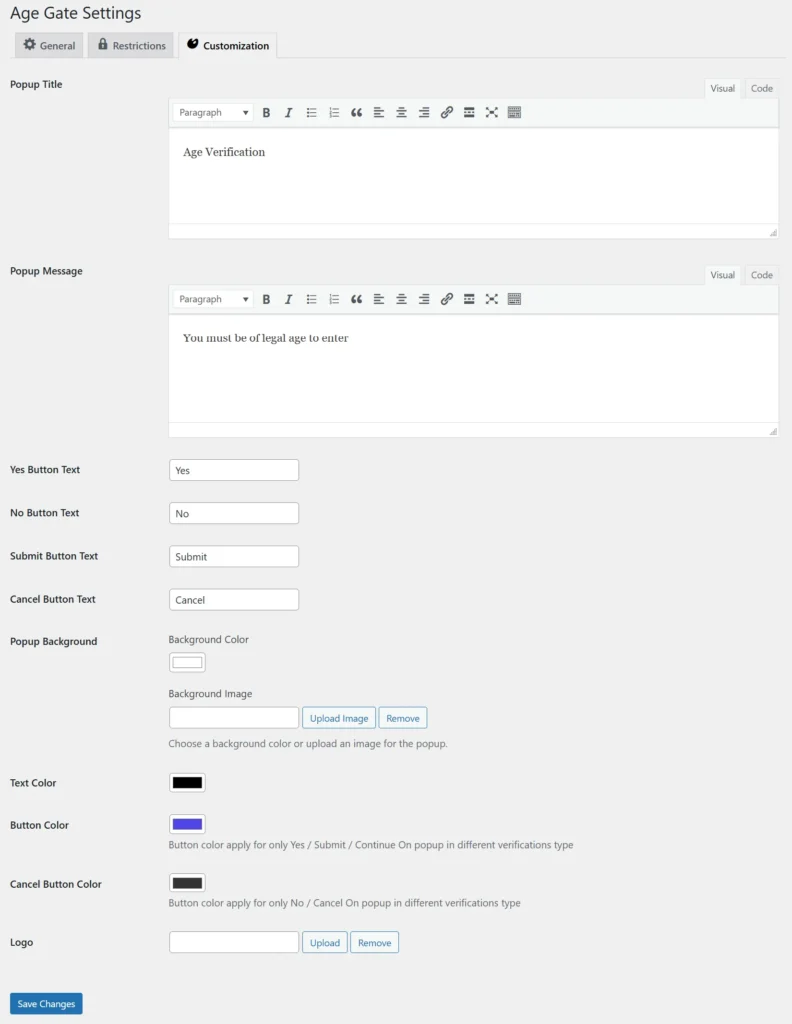
3.Customization
The Customization page lets you personalize the appearance and content of your age verification popup. You can edit the popup title, message, button text, colors, background, and logo to match your brand identity. This ensures the popup provides a professional and seamless user experience.
Frontend
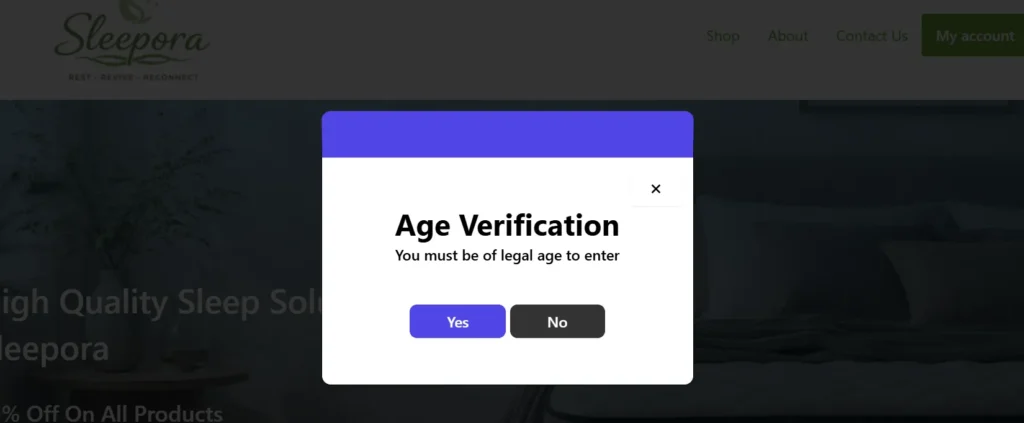
Yes / No Verification Popup
This verification popup provides a simple and quick way for users to confirm their age before accessing restricted content. Visitors can select Yes to proceed or No to exit the website. It offers a user-friendly experience while ensuring age compliance.
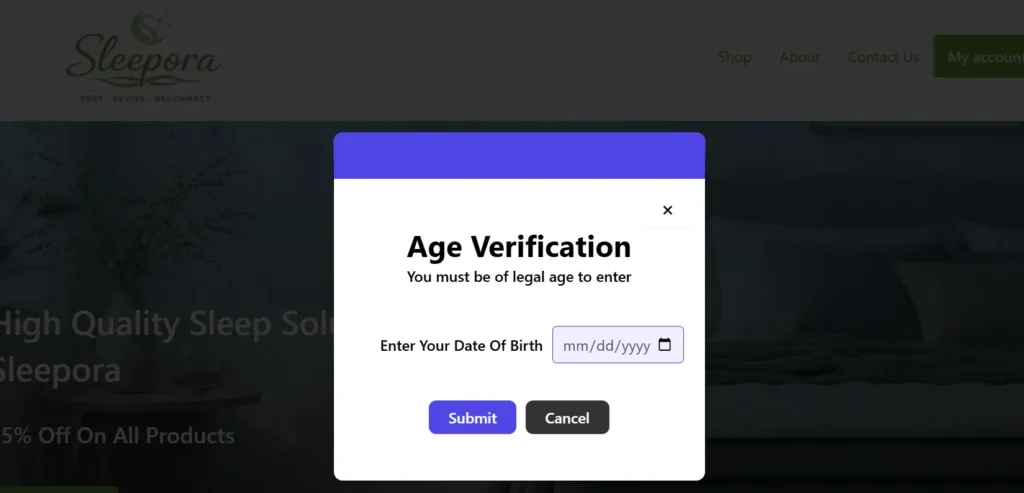
Date of Birth Verification Popup
The Date of Birth popup requires users to enter their birth date to verify eligibility automatically. The system checks the entered age against the minimum age requirement set in the plugin. This method provides more accurate age validation for age-restricted websites.
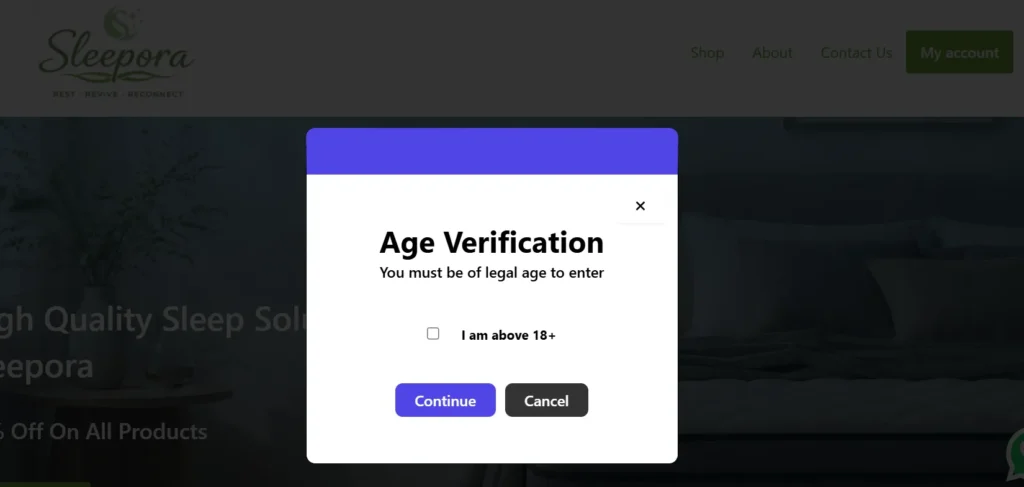
Checkbox Verification Popup
The Checkbox verification popup allows users to confirm their eligibility by ticking a checkbox stating they are above the required age. After confirmation, users can continue browsing the website. This lightweight verification method is ideal for quick age confirmation with minimal interaction.
Secure Your Store with Smart Age Verification.
Prevent underage access and stay compliant with industry regulations.
Frequently Asked Questions
See the list below for our most frequently asked questions about our plugins.
If this doesn’t satisfy your requirement, please reach out to support team.
Q:What is Smart Age Gate for WooCommerce?
A: Smart Age Gate is a WooCommerce plugin that verifies visitor age before allowing access to your website or age-restricted products, helping businesses comply with legal requirements.
Q:Can I apply age verification to specific products only?
A: Yes. You can enable age verification for the entire website, selected product categories, or individual products.
Q: What age limits can I set?
A: You can set standard age restrictions such as 18+, 21+, or define any custom age requirement.
Q: Which verification methods are available?
A: The plugin supports simple confirmation buttons (Yes/No) and date-of-birth verification for more accurate age validation.
Q: Can I customize the popup design?
A: Yes. You can customize popup text, colors, background, logo, buttons, and overall styling to match your brand.
Q: What happens if a visitor is underage?
A: You can choose to block access, show a warning message, or redirect underage visitors to another page or website.
Q: Does the plugin remember verified users?
A: Yes. The plugin uses cookies to remember verified visitors, so they don’t need to verify their age on every visit.
Q: Is Smart Age Gate mobile friendly?
A: Yes. The age verification popup is fully responsive and works smoothly on desktop, tablet, and mobile devices.
Q: Do I need coding skills to use this plugin?
A: No. Smart Age Gate is beginner-friendly and can be configured entirely from the WordPress admin dashboard without coding.