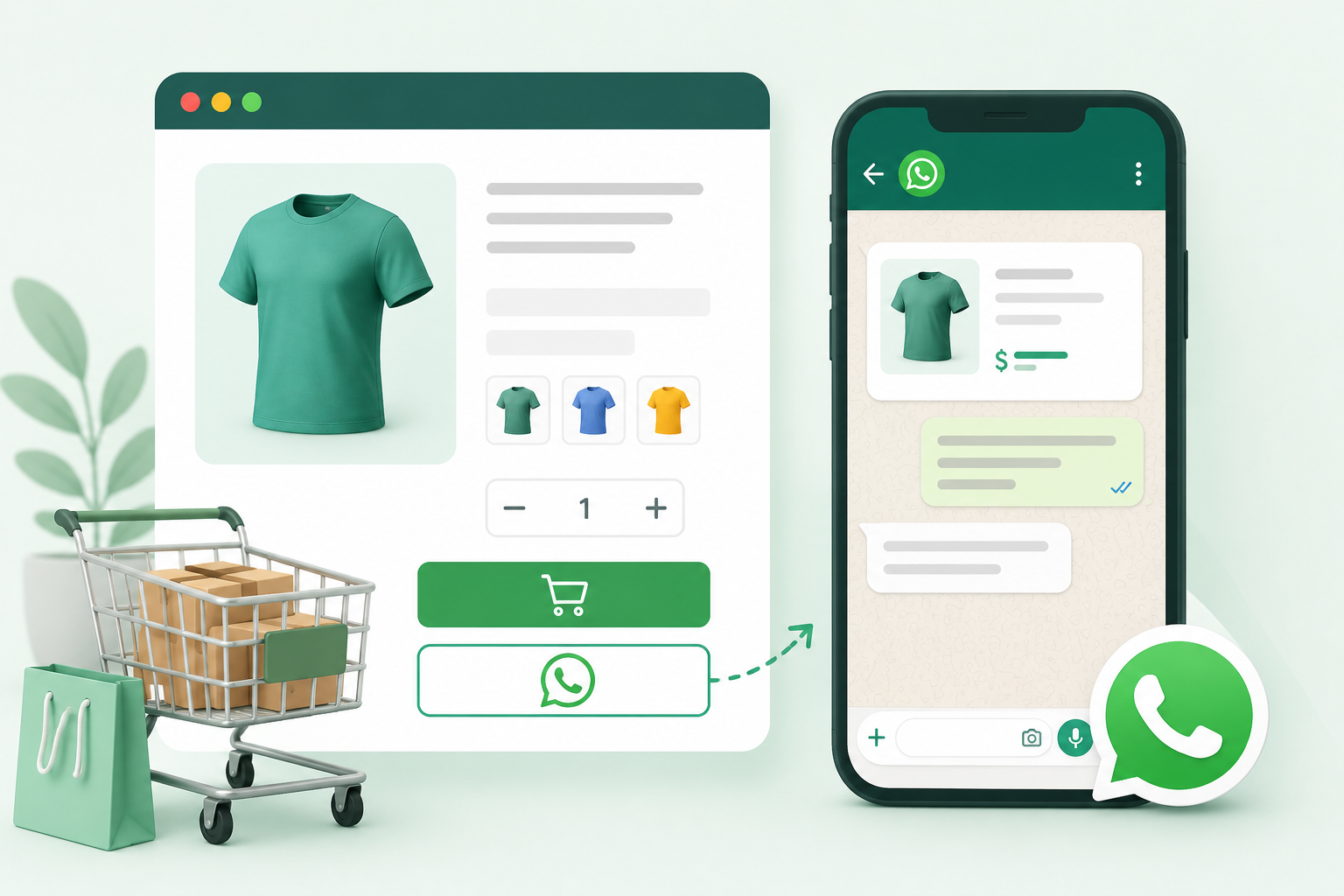
In today’s fast-paced eCommerce world, customers expect instant communication and quick checkout experiences. Traditional checkout processes often lead to cart abandonment. That’s where WhatsApp checkout for WooCommerce comes in.
With WhatsApp integration, customers can place orders directly through chat, making the buying process faster and more personal.
What is WhatsApp Checkout for WooCommerce?
WhatsApp checkout allows customers to skip the traditional cart process and place orders directly via WhatsApp chat. Instead of filling long forms, users can simply click a button and send their order instantly.
This works by adding a “Buy on WhatsApp” button to your product pages, which sends order details automatically to your WhatsApp number.
Benefits of Using WhatsApp Checkout
- Higher Conversion Rates
Customers are more likely to complete purchases when the process is simple and familiar. - Reduced Cart Abandonment
Complex checkout flows are a major reason for drop-offs. WhatsApp removes friction. - Direct Customer Communication
You can instantly chat, upsell, or answer queries in real-time. - Personalized Selling Experience
Unlike traditional checkout, WhatsApp enables human interaction.
Step-by-Step Setup
- Step 1: Install the Plugin
Download and install the Checkout on WhatsApp for WooCommerce plugin from Xperts.club. - Step 2: Configure WhatsApp Number
Add your business WhatsApp number in plugin settings. - Step 3: Customize Button
Change button text like:
👉 “Order via WhatsApp”
👉 “Buy Now on WhatsApp” - Step 4: Enable on Product Pages
Activate the button for all or selected products. - Step 5: Test the Flow
Click the button and verify if the message is pre-filled with product details.
Best Practices for Better Results
- Use clear CTA text like “Order Instantly on WhatsApp”
- Offer Cash on Delivery (COD) options
- Add trust signals like reviews
- Respond quickly to messages
Conclusion
Adding WhatsApp checkout to WooCommerce is one of the easiest ways to increase conversions and improve customer experience. If you want faster sales and better engagement, this is a must-have feature.
Frequently asked questions
Q: What is WhatsApp Checkout in WooCommerce?
A: WhatsApp Checkout allows customers to place orders directly through WhatsApp instead of using the traditional WooCommerce checkout page. It simplifies the buying process by enabling instant communication with the seller.
Q: Do I need coding skills to add WhatsApp checkout?
A: No, you don’t need any coding knowledge. You can easily set it up using plugins like “Checkout on WhatsApp for WooCommerce” by configuring a few settings.
Q: Can I use WhatsApp Checkout for all products?
A: Yes, most plugins allow you to enable WhatsApp checkout for all products or only selected products based on your requirements.
Q: Will customers still see the normal checkout page?
A: This depends on your settings. You can either replace the default checkout completely or offer WhatsApp as an additional checkout option.
Q: Is WhatsApp Checkout suitable for all types of stores?
A: It works best for small to medium businesses, local stores, and custom order-based products where direct communication with customers improves conversions.