

Delivery & Pickup Date Time for WooCommerce
Overview
The Delivery Date & Time Plugin for WooCommerce allows customers to select their preferred delivery type, date, and time during checkout. It supports options like delivery, pickup, and dine-in for flexible ordering. Store owners can control availability using opening hours, time slots, and cutoff times. This ensures a smooth checkout experience while improving order management and scheduling.
Key Features
- Multiple Delivery Options
Support for Delivery, Pickup, and Dine-in in a single system. - Date & Time Selection
Customers can choose preferred delivery date and time slots at checkout. - Opening Hours Control
Define working hours for each day to restrict order availability. - Flexible Time Slots
Create custom time ranges and multiple slots per day. - Cutoff Time Management
Set same-day and next-day cutoff times to control order scheduling. - Preorder Functionality
Allow customers to place orders in advance for future dates. - Minimum Order Conditions
Set minimum cart amount for delivery, pickup, or dine-in. - Custom Labels & Messages
Easily customize frontend text, headings, and notifications.
Installation
- Download the extension from your WooCommerce dashboard.
- Go to Plugins > Add New > Upload and select the ZIP file you just downloaded.
- Click Install Now, and then Activate.
How It Works ?
- Customers add products to their cart and proceed to the checkout page as usual.
- They select their preferred option—delivery, pickup, or dine-in—based on availability.
- Next, they choose a suitable date and time slot from the available options.
- Once confirmed, the order is placed with the selected schedule for processing.
Backend Settings
(General Settings) :
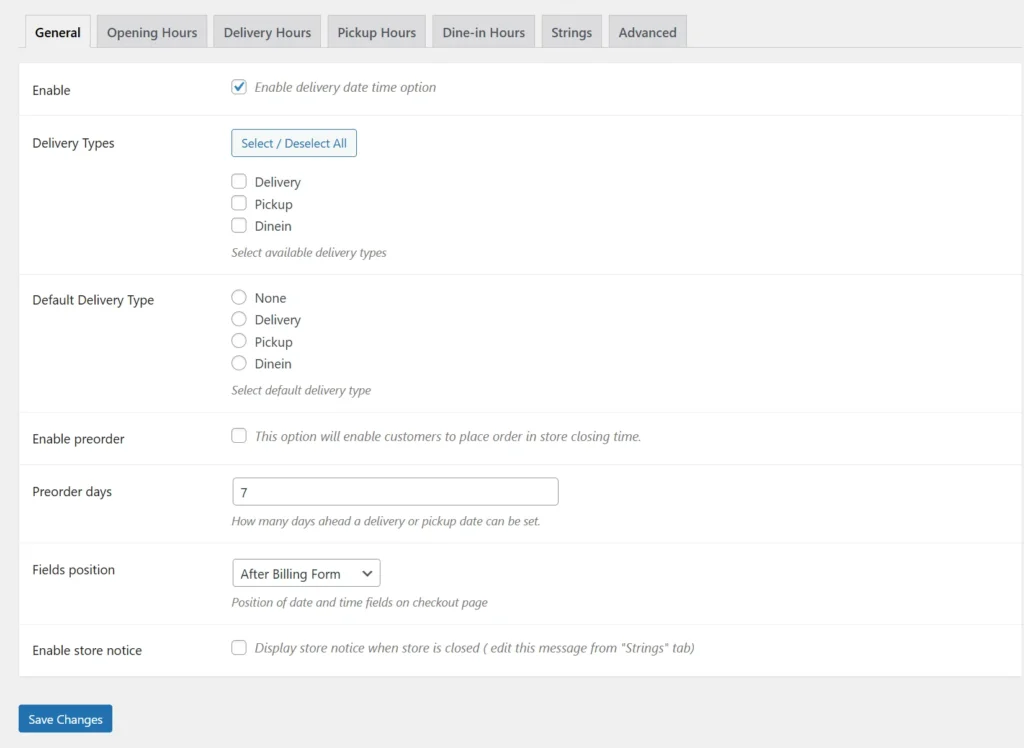
The General Settings allow you to enable the delivery date and time feature for your store. You can choose delivery types such as delivery, pickup, and dine-in, and set a default option for checkout. It also includes preorder functionality to allow advance bookings. Additionally, you can control field placement and display store notices when the shop is closed.
Opening Hours:
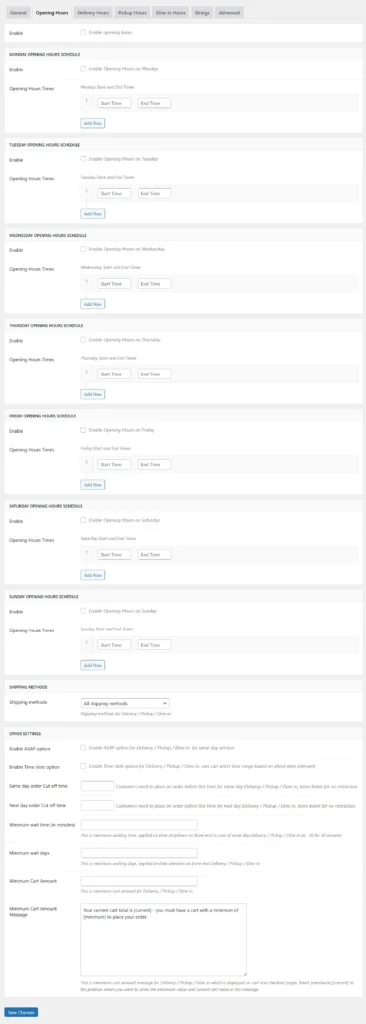
This section lets you define your store’s working hours for each day of the week. You can enable specific days and set start and end times based on your schedule. It ensures customers can only place orders during operational hours. This helps prevent orders outside your business timings.
Delivery Hours:
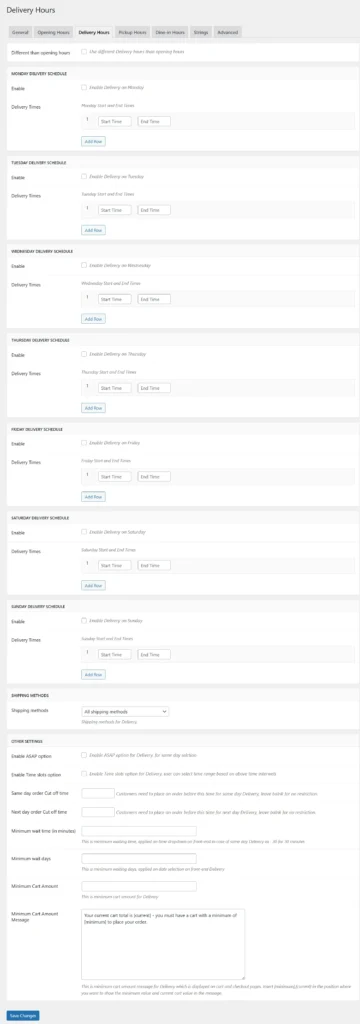
The Delivery Hours module allows you to configure delivery-specific schedules. You can define time slots, enable multiple delivery ranges, and customize availability per day. It also supports cutoff times, minimum wait times, and minimum cart value conditions. This ensures efficient and controlled delivery operations.
Pickup Hours:
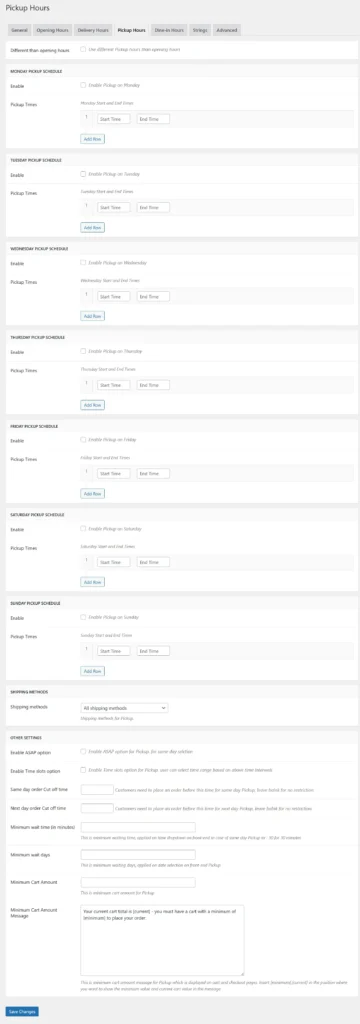
In this section, you can manage store pickup timings separately from delivery. You can enable pickup for selected days and define available time slots. Additional settings like minimum wait time and order conditions can also be applied. This helps provide a smooth and organized pickup experience.
Dine in Hours:
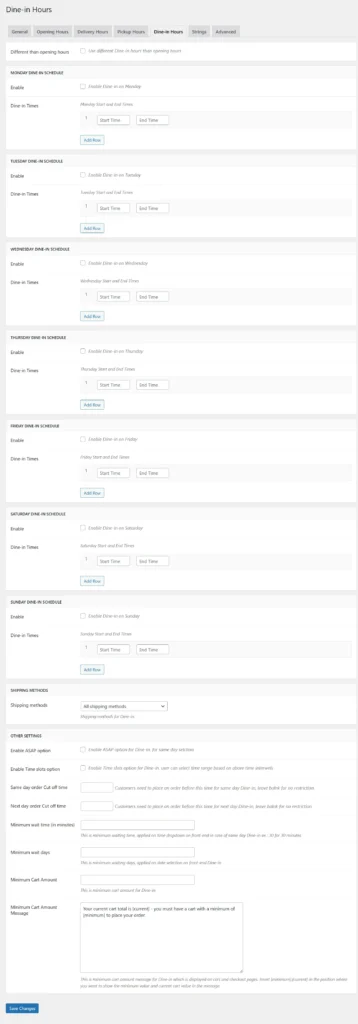
The Dine-in Hours module allows you to set schedules for customers who choose to dine at your location. You can enable dine-in for specific days and define time slots. It also supports scheduling controls like cutoff times and wait times. This is ideal for restaurants and booking-based businesses.
Strings Settings:
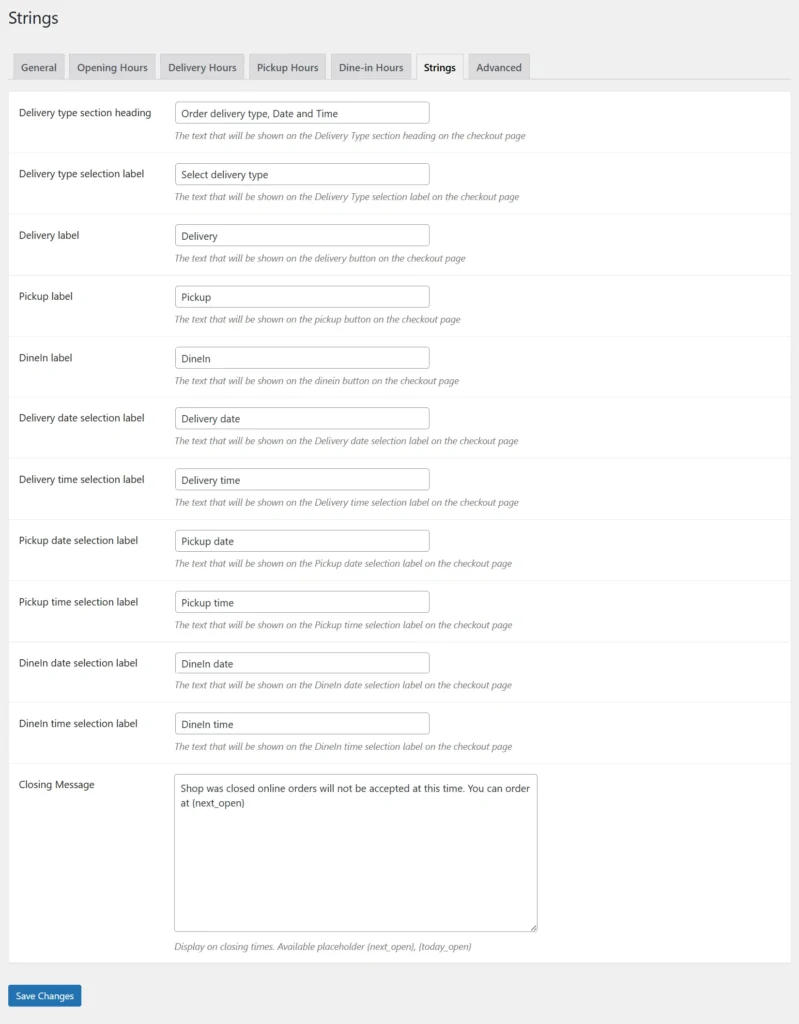
This section allows you to customize all frontend labels and text displayed to customers. You can edit headings, delivery type names, and date/time labels. It also lets you define custom messages such as store closing notices. This helps maintain clear communication and consistent branding.
Advanced Settings:
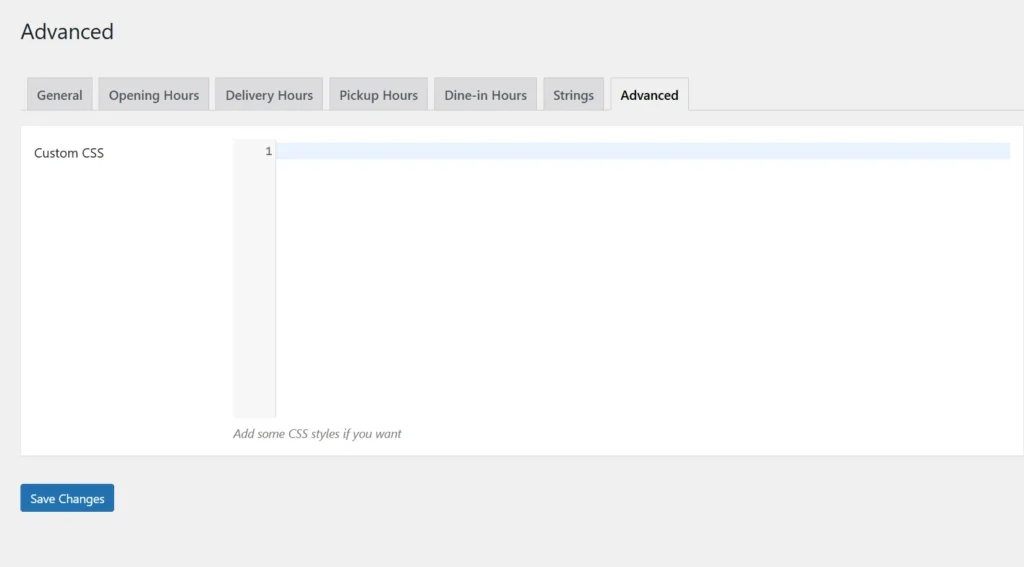
The Advanced Settings provide an option to add custom CSS for styling the plugin interface. This allows developers to modify the appearance according to the store’s design. It ensures better UI flexibility and customization. This section is useful for fine-tuning the frontend layout.
Frontend Workflow
Checkout Page – Delivery Date & Time:
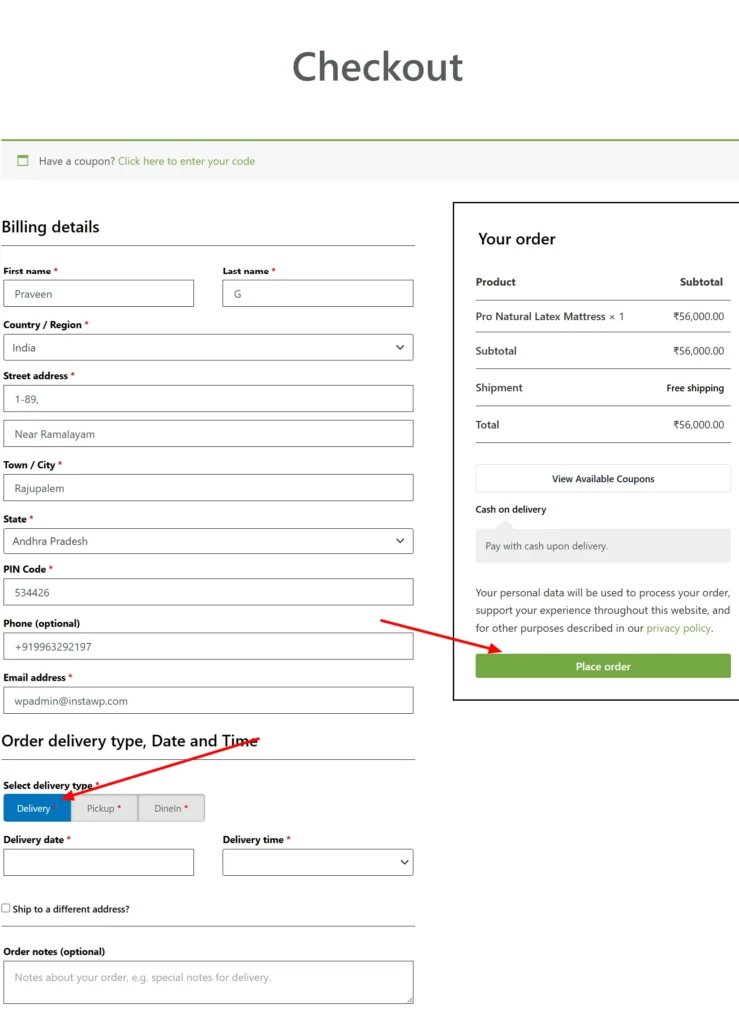
On the checkout page, customers can enter their billing details and complete their order smoothly. Just below the billing section, they can select their preferred delivery type—delivery, pickup, or dine-in. Based on the selection, available dates and time slots are displayed for easy scheduling. This ensures a convenient and flexible checkout experience while placing orders.
Frequently Asked Questions
See the list below for our most frequently asked questions about our plugins.
If this doesn’t satisfy your requirement, please reach out to support team.
Q: What is Delivery & Pickup Date Time plugin for WooCommerce?
A: This plugin allows customers to select their preferred delivery or pickup date and time while placing an order.
Q: Where can customers choose delivery or pickup date and time?
A: Customers can select their preferred schedule directly on the checkout page during order placement.
Q: Can customers choose between delivery and pickup options?
A: Yes, customers can choose either delivery or pickup based on their preference before completing the order.
Q: Can I enable date selection for orders?
A: Yes, the plugin provides a date picker so customers can choose a suitable delivery or pickup date.
Q: Can I enable time selection for delivery or pickup?
Yes, customers can select a preferred time slot along with the date for accurate scheduling.
Q: Can I create custom delivery and pickup time slots?
Yes, you can define your own time slots based on your business hours and availability.
Q: Can I block specific dates like holidays or closed days?
Yes, you can disable specific dates to prevent customers from selecting unavailable days.
Q: Can I set a cutoff time for same-day delivery?
A: Yes, you can define a cutoff time so same-day delivery is only available within a specific time limit.
Q: Does the plugin help manage delivery schedules efficiently?
Yes, it helps organize deliveries and pickups by allowing structured scheduling.
Q: Does this plugin improve customer experience?
Yes, it gives customers flexibility to choose convenient delivery or pickup times, improving satisfaction.