
Buy it Later for WooCommerce
Overview
Buy It Later for WooCommerce allows customers to save products for future purchase without adding them to the cart immediately. It enhances the shopping experience by giving users flexibility to organize products they are interested in. Customers can revisit saved items anytime and move them to the cart when ready. This feature helps reduce cart abandonment and improves conversions. It is especially useful for users who prefer planning purchases before checkout.
Key Features
- Save products for later directly from product/shop pages
- Move saved items to cart with one click
- Separate “Buy It Later” list in My Account page
- Works for both logged-in and guest users
- Easy product management (add/remove anytime)
- Improves user engagement and conversion rate
Installation
- Download the extension from your WooCommerce dashboard.
- Go to Plugins > Add New > Upload and select the ZIP file you just downloaded.
- Click Install Now, and then Activate.
How It Works ?
- Customers can click the “Buy It Later” button instead of adding a product to the cart.
- The product is saved in a dedicated list for future reference.
- Users can access this list anytime from their account and move items to the cart when they are ready to purchase.
Backend Settings
Buy It Later – Admin Product List :
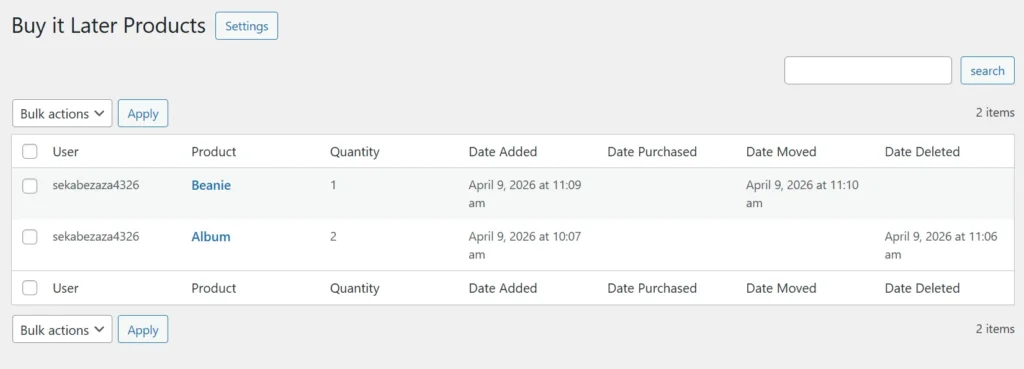
The Buy It Later admin panel provides a clear overview of all products saved by customers for later purchase. Store owners can view important details such as user information, selected products, quantities, and activity dates like when items were added, moved, or deleted. This helps track customer behavior and understand buying patterns effectively. The bulk actions feature allows admins to manage multiple entries quickly. Overall, it offers better control and visibility over saved items.
Buy It Later – Settings :
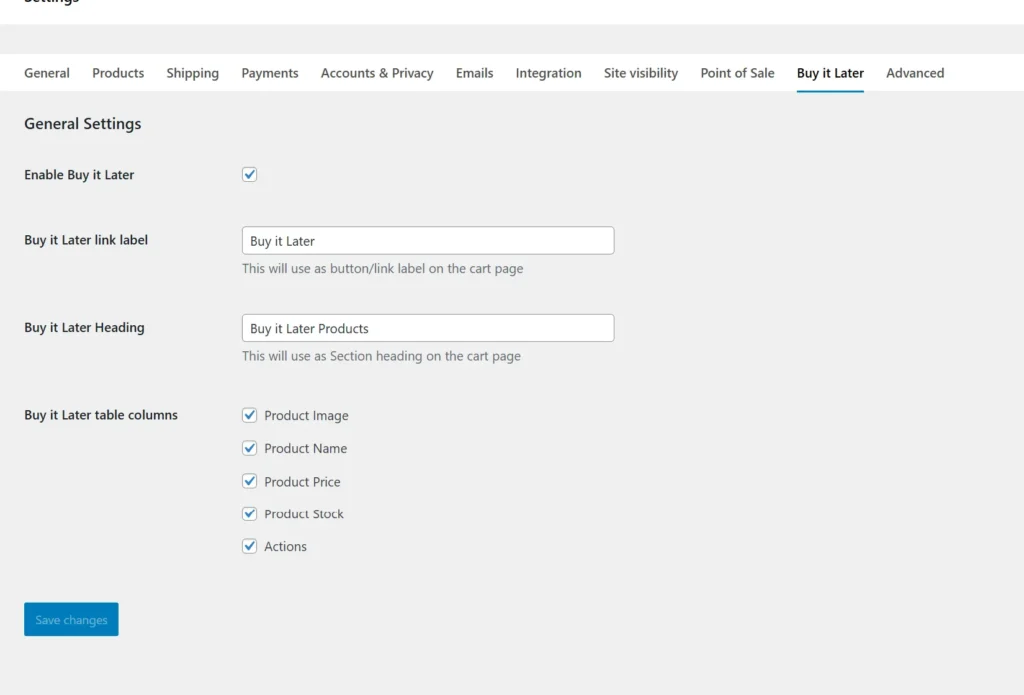
The settings page allows administrators to fully configure the Buy It Later feature based on store needs. You can enable or disable the functionality and customize labels such as button text and section headings. It also provides options to control which product details appear in the Buy It Later table, including image, price, stock, and actions. These flexible settings ensure seamless integration with your store design and user experience. This makes the feature both customizable and easy to manage.
Frontend Workflow
Cart Page – Buy It Later Option:
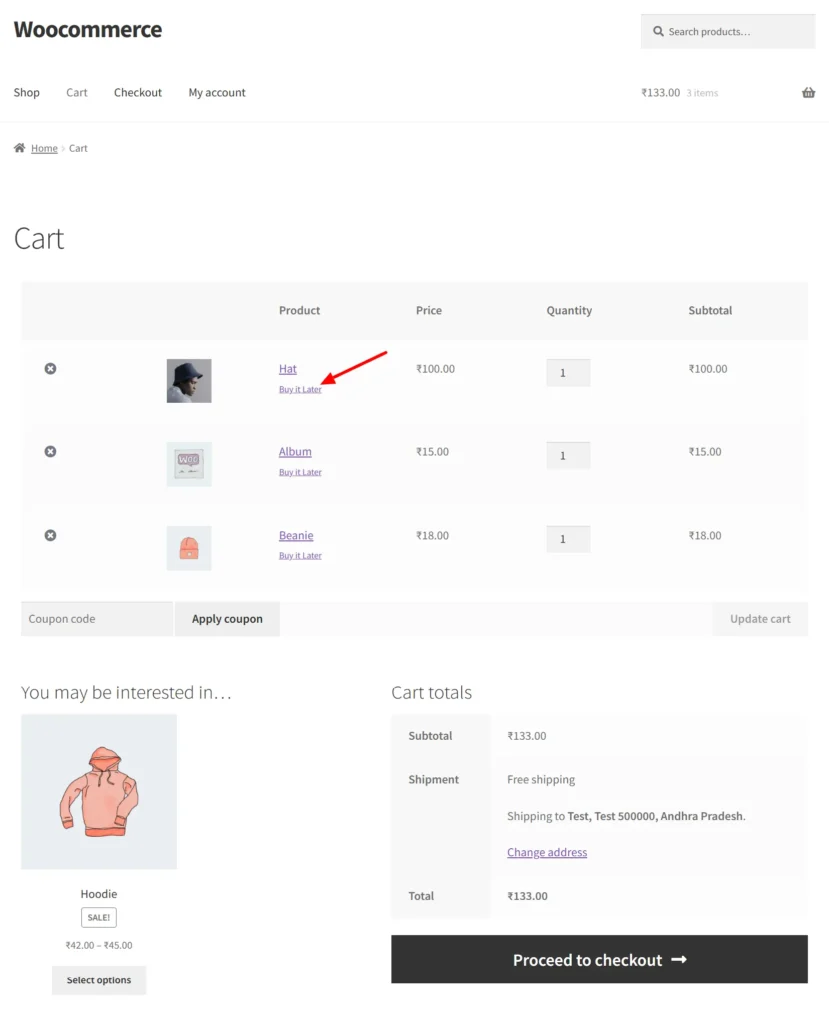
On the cart page, customers are given the option to move products to the “Buy It Later” list instead of proceeding with immediate purchase. This allows users to declutter their cart while saving items for future consideration. The process is simple and helps customers make flexible buying decisions without losing selected products. It also encourages users to return and complete purchases later. Overall, it improves usability and reduces cart abandonment.
My Account – Buy It Later Products :
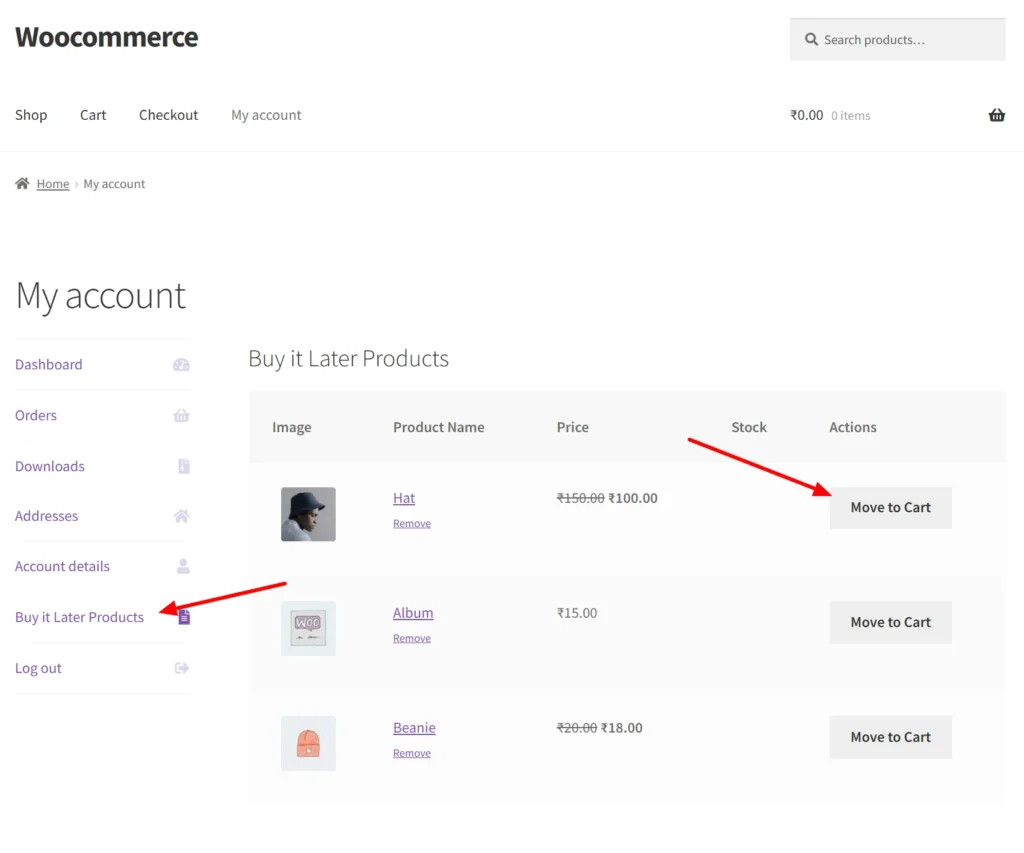
The “Buy It Later Products” section in the My Account page allows customers to easily manage items they have saved for future purchase. Users can view product details such as image, name, price, and stock status in a structured table format. From here, they can quickly move items to the cart or remove them from the list as needed. This feature provides a convenient way for customers to revisit and organize their desired products. It enhances user control and improves the overall shopping experience.
Frequently Asked Questions
See the list below for our most frequently asked questions about our plugins.
If this doesn’t satisfy your requirement, please reach out to support team.
Q:What is Buy It Later plugin for WooCommerce?
A: Buy It Later for WooCommerce allows customers to save their cart and complete the purchase at a later time instead of checking out immediately.
Q: How does the Buy It Later feature work?
A: Customers can click the “Buy It Later” button to save their current cart and return later to complete the purchase without searching for products again.
Q: What if i dont want to renew my subscription to a plugin? What should i do?
A: Customers can click the “Buy It Later” button to save their cart and return anytime to restore it and complete checkout.
Q: Can customers save their cart and checkout later?
A: Yes, customers can save their cart with all items and access it later from their account to continue the purchase.
Q: Where can users find their saved carts?
A: Saved carts are available in the My Account section, where customers can view, restore, or manage them easily.
Q: Can customers restore a saved cart instantly?
A: Yes, customers can restore their saved cart with one click and proceed directly to checkout.
Q: Can users manage multiple saved carts?
A: Yes, customers can create and manage multiple saved carts, making it easy to organize different shopping lists.
Q: Can customers edit or delete saved carts?
A: Yes, users can edit, restore, or delete saved carts anytime from their account dashboard.
Q: Does Buy It Later help reduce cart abandonment?
Yes, it allows customers to save products for later, increasing the chances of returning and completing the purchase.
Q: Can store owners customize the Buy It Later button?
Yes, admins can customize the button text and placement to match their store design and user experience.