

Min and Max Order total, quantity for WooCommerce
Min and Max Order total, quantity for WooCommerce allows store admin to set a minimal and maximal range on the cart total (price), product quantity.
Overview
Min & Max Order Total and Quantity for WooCommerce allows store owners to control how customers place orders by setting limits on product quantities and cart totals. It ensures that every order meets your business requirements before checkout. Whether you want to enforce minimum purchases or restrict bulk buying, this plugin gives you full control. It improves order management while maintaining a smooth shopping experience for customers.
Key Features
- Set minimum and maximum product quantity per item
- Define minimum and maximum order total for the cart
- Show custom validation messages for better user guidance
- Apply rules globally across your WooCommerce store
- Prevent checkout until all conditions are satisfied
Installation
- Download the extension from your WooCommerce dashboard.
- Go to Plugins > Add New > Upload and select the ZIP file you just downloaded.
- Click Install Now, and then Activate.
How It Works ?
- The plugin monitors the cart in real-time as customers add products.
- It checks whether the quantity and order total meet the defined limits.
- If any condition is not satisfied, a validation message is displayed instantly.
- Customers must update their cart before proceeding to checkout.
Backend Settings
Product Level Quantity Settings:
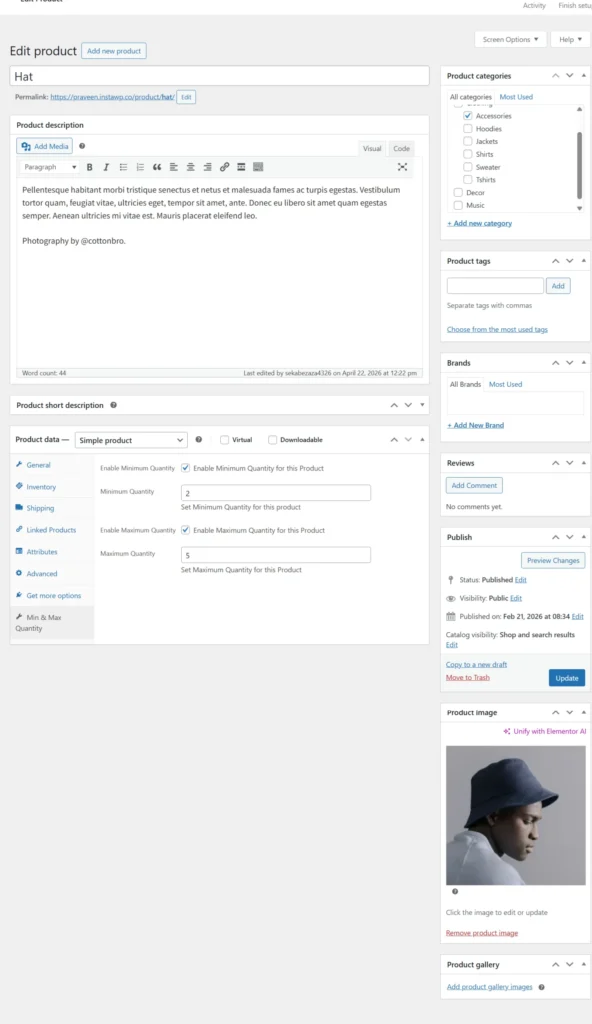
This screen allows you to set minimum and maximum quantity limits for individual products directly from the product edit page. You can enable quantity restrictions and define the allowed range for each product. This helps control how many units a customer can purchase in a single order.
Global Order & Validation Settings
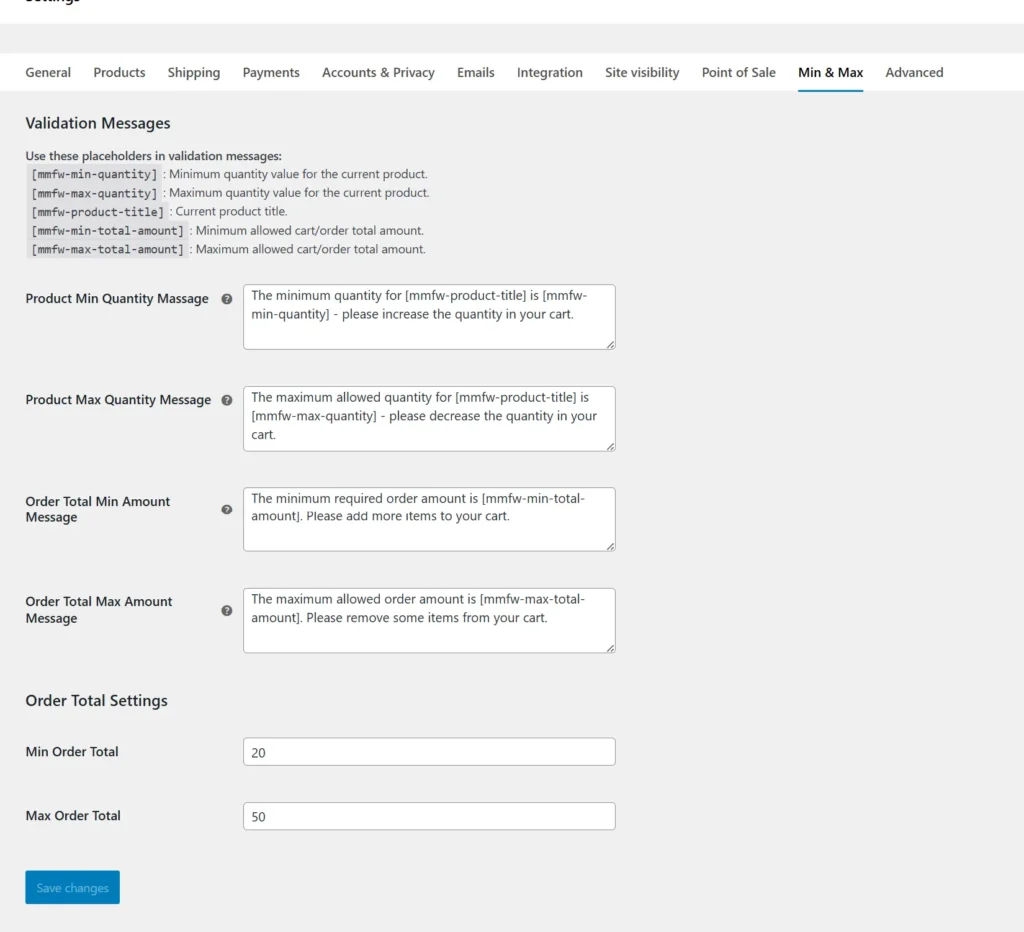
In this section, you can configure global minimum and maximum order totals for your WooCommerce store. You can also customize validation messages using dynamic placeholders to guide customers effectively. These settings ensure that all orders meet your business rules before checkout.
Frontend Workflow
Product Page Validation:
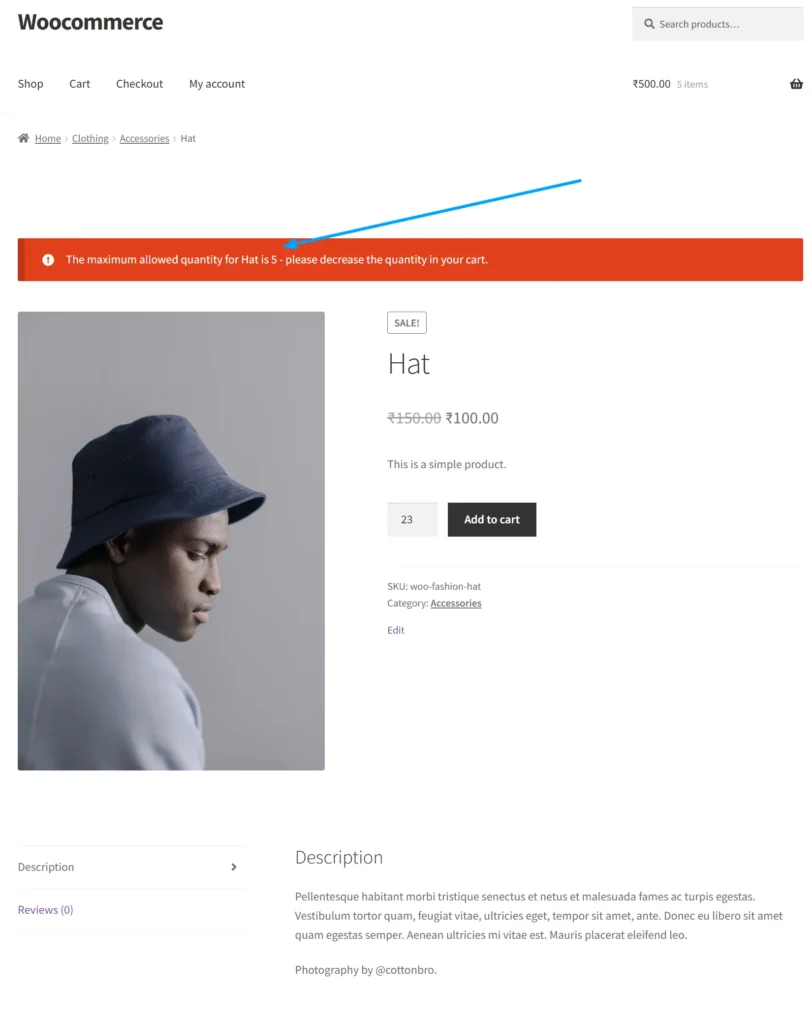
On the product page, customers instantly see a validation message if they exceed the allowed quantity limit. The system prevents adding more items than permitted and clearly informs the user to adjust the quantity. This ensures that product-level restrictions are enforced before adding items to the cart.
Cart Page Validation:
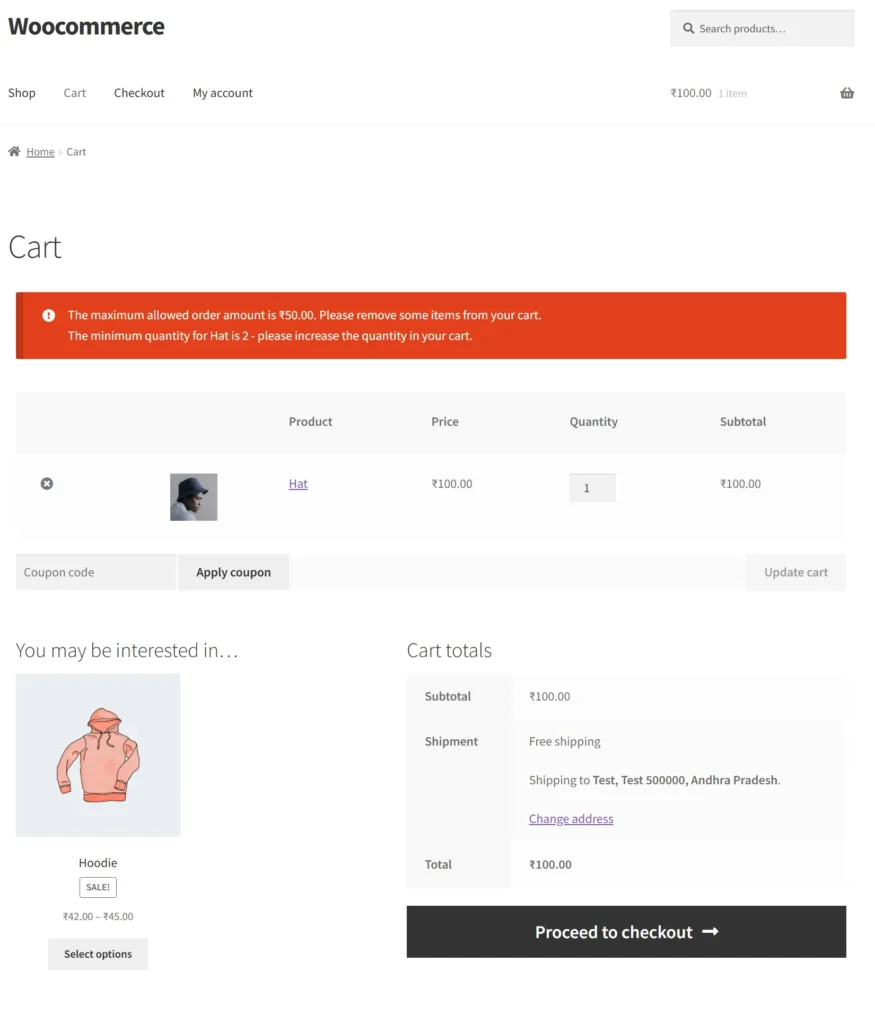
On the cart page, users are notified when their order exceeds maximum limits or falls below minimum requirements. The plugin displays clear messages guiding customers to increase or decrease quantities accordingly. This helps users correct their cart easily before proceeding to checkout.
CheckoutPage Validation:
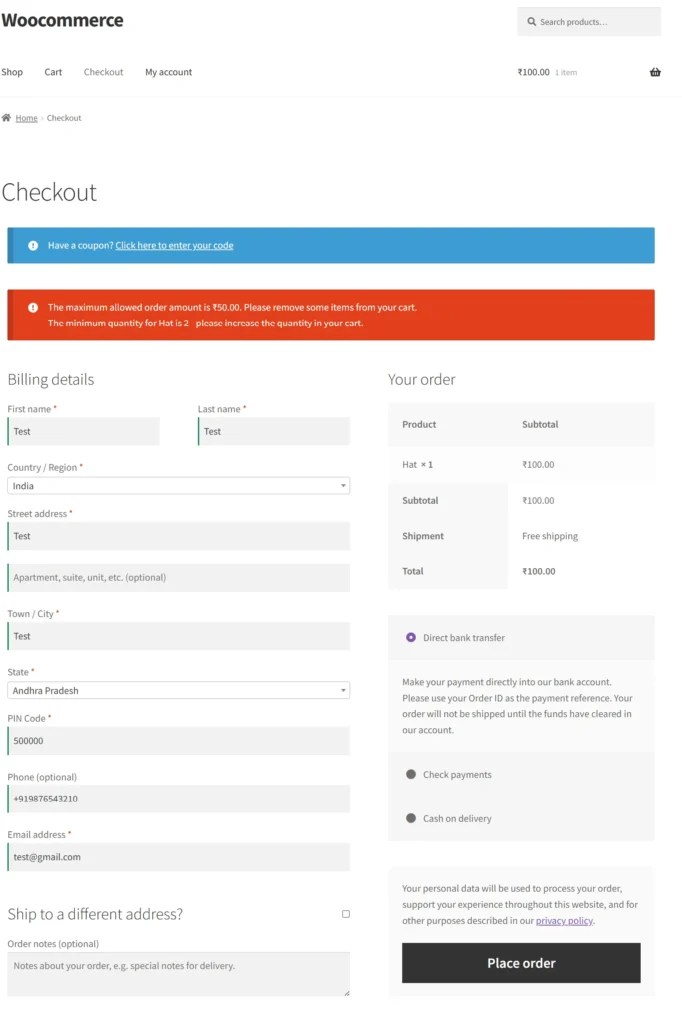
During checkout, the plugin validates both product quantity and overall order total in real-time. If the cart does not meet the defined limits, clear error messages are displayed at the top of the page. Customers must update their cart before placing the order, ensuring all conditions are satisfied.
Frequently Asked Questions
See the list below for our most frequently asked questions about our plugins.
If this doesn’t satisfy your requirement, please reach out to support team.
Q: What is Min and Max Order Total Quantity plugin for WooCommerce?
A: Min and Max Order Total Quantity for WooCommerce is a plugin that lets store owners set minimum and maximum limits on order quantity or cart total to control how customers place orders.
Q: Can I set a minimum order requirement in WooCommerce?
A: Yes, you can require customers to meet a minimum order quantity or cart total before they are allowed to proceed to checkout.
Q: Can I limit the maximum quantity per order?
A: Yes, the plugin allows you to define a maximum quantity limit to prevent customers from placing overly large orders.
Q: Can I control both minimum and maximum cart totals?
A: Yes, you can set both minimum and maximum cart value limits to ensure customers place orders within your desired range.
Q: Does the plugin validate rules at checkout?
Yes, if a customer’s cart does not meet the defined rules, the plugin will show a message and restrict checkout until the conditions are satisfied.
Q: Can I apply rules to the entire cart?
A: Yes, the plugin works at the cart level, allowing you to control total quantity and total order value across all products.
Q: How does this plugin help improve store performance?
A: By enforcing order limits, it helps increase average order value, reduce low-value orders, and maintain better inventory control.
Q: Can I display custom messages for order limits?
Yes, you can show clear messages to customers when minimum or maximum conditions are not met, improving user experience.
Q: Is this plugin useful for wholesale or bulk stores?
A: Yes, it is ideal for wholesale or bulk selling, where you need strict control over minimum and maximum purchase quantities.